Your garage door, finally on your phone.
You already have a UniFi Protect console, a relay wired to the opener and a sensor on the door. Garage Opener turns those into a proper smart garage door, on your iPhone, your Apple Watch, your Lock Screen and in Siri. No hub. No subscription. No Home Assistant.
Free with 20 opens. One purchase unlocks the rest, and there is no subscription.
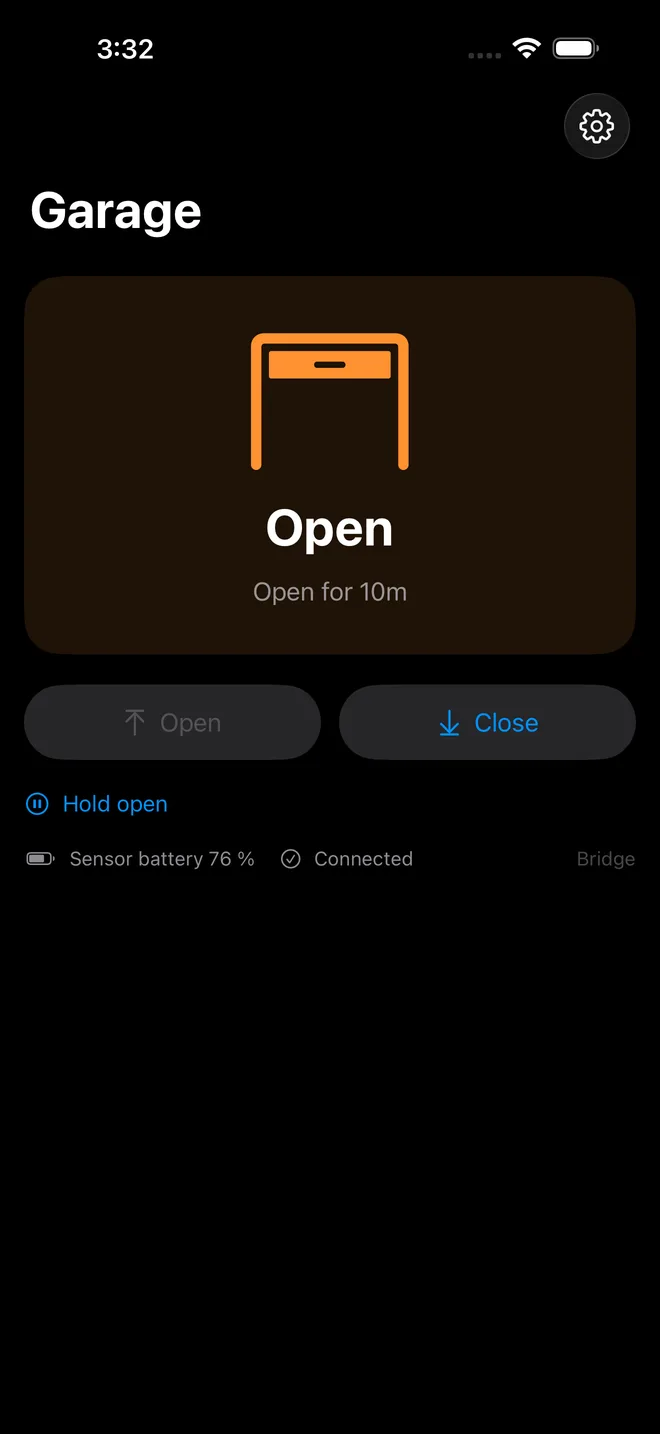
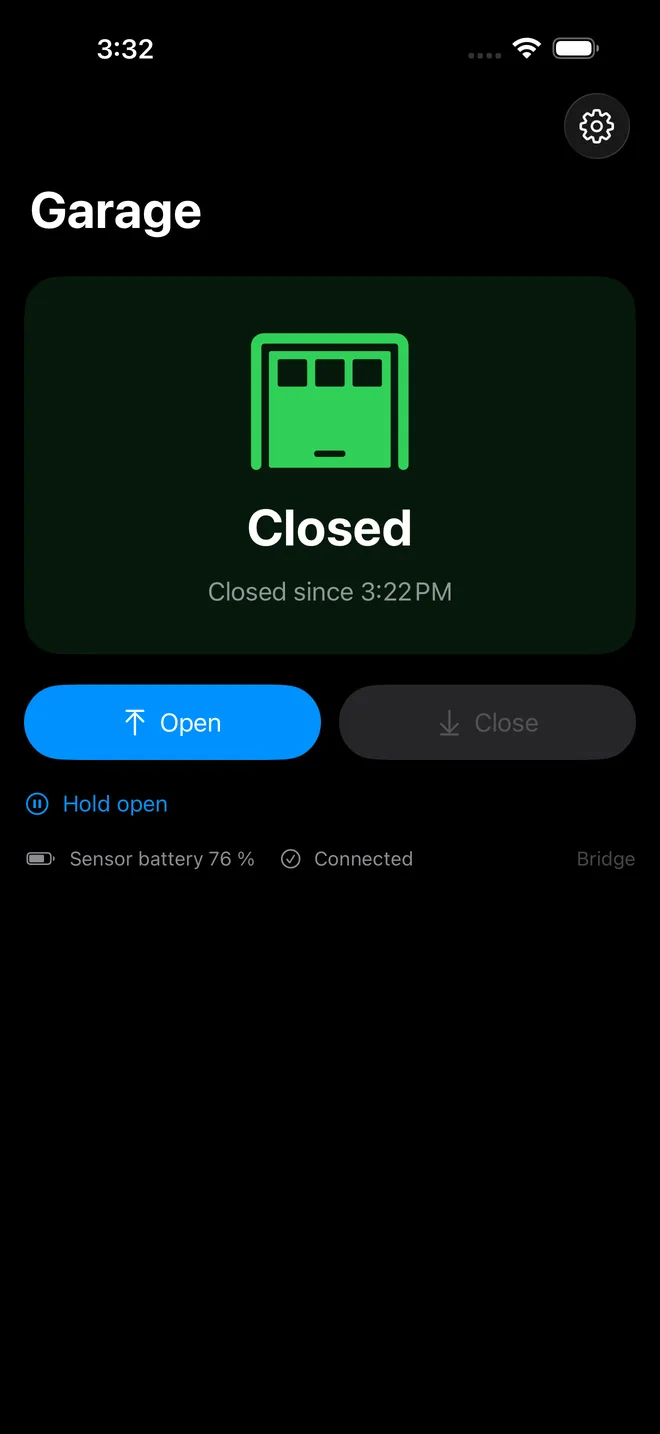
The sensor decides, not the app
Most garage integrations fire the opener and then assume. This one doesn't. Every command is verified against the door sensor before the app tells you it worked, so open means the door is open, not that a relay clicked. When the door doesn't do what it was asked, you get told, clearly.
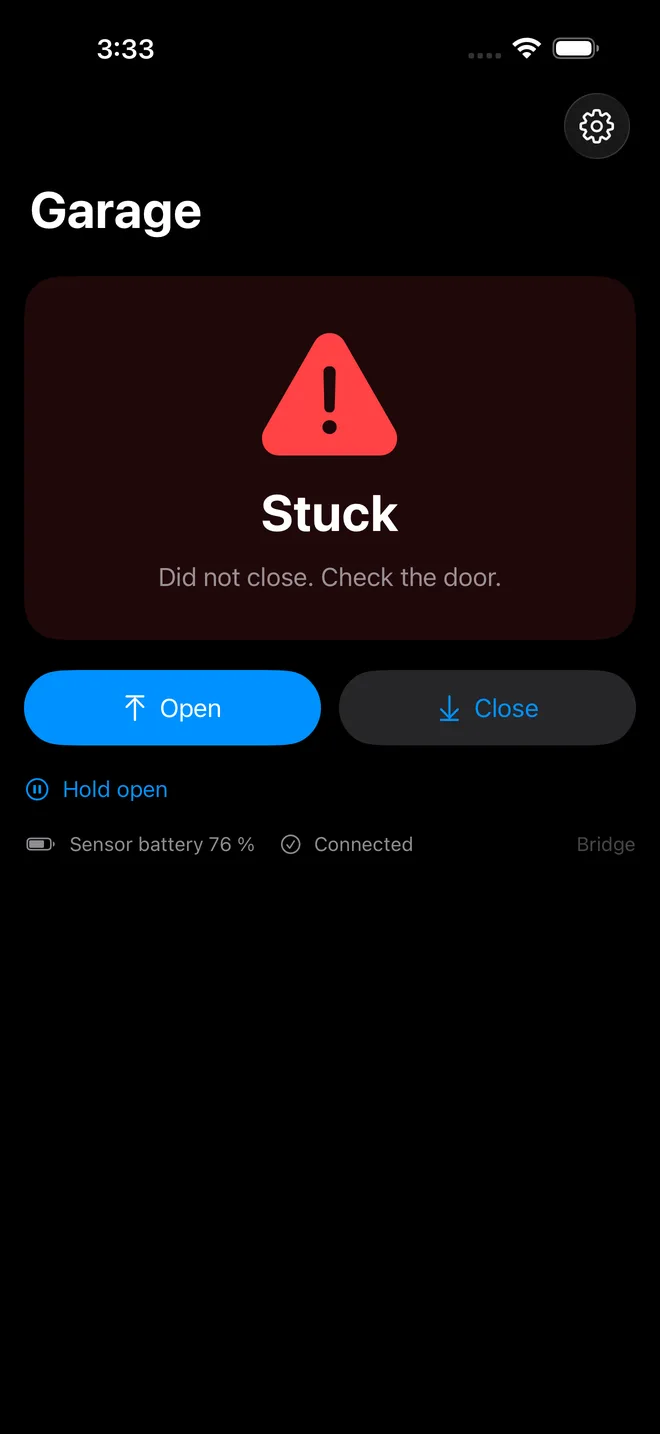
Two ways to connect
The app either talks to your console itself, or to a small bridge you run at home. You pick one during setup. Switching later means setting the app up again; nothing changes on the door.
Either way you get
- Open and close, verified by the door sensor
- Apple Watch, widgets, Control Center, Siri and Shortcuts
- Alerts when the door is left open
- Access away from home, over your VPN
Through your own bridge
What it is
A small free container at home that holds one connection to Protect for every phone.
You need
- An always-on NAS, Raspberry Pi, VPS or any other box with Docker that can reach your console.
- About 15 minutes, with the self-hosting guide.
You gain
- Family joins by QR code. Nobody else holds your Protect key, and one person can be revoked.
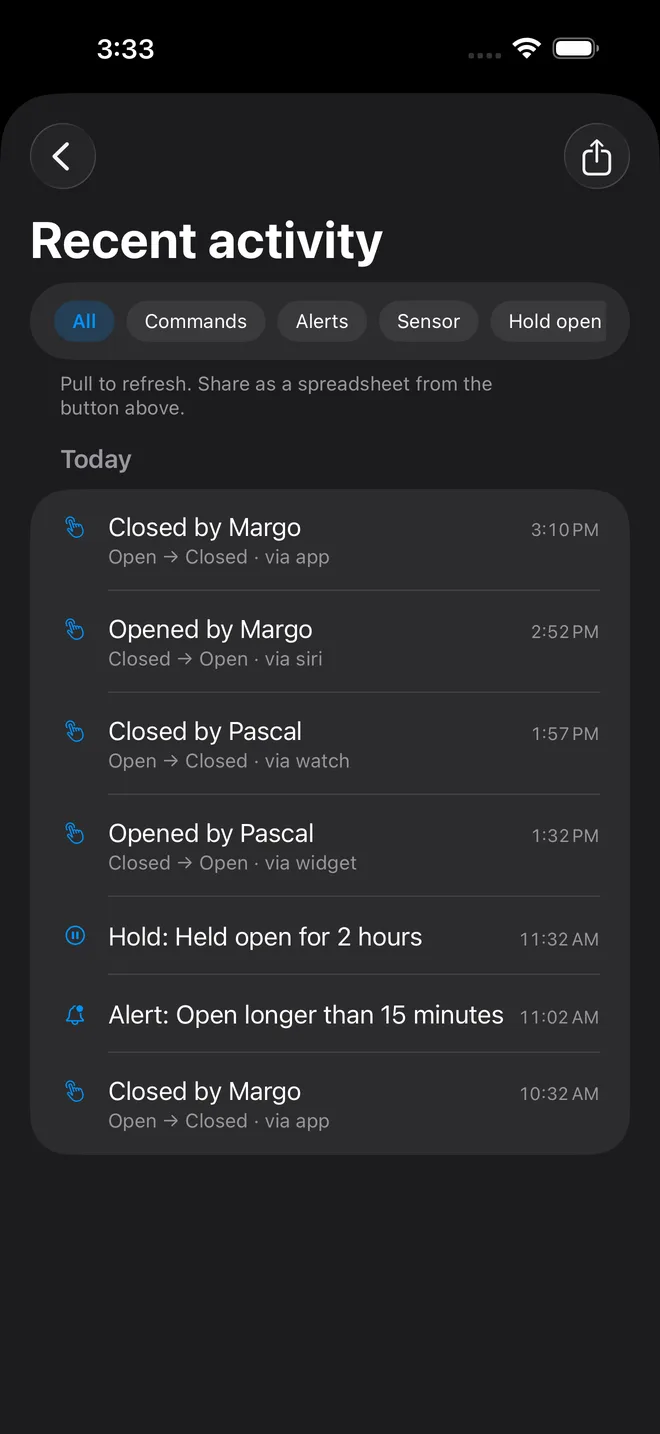
- An activity log by name, which you can filter and export.
- Alert rules run on your own hardware, with no outside service, plus nightly auto-close and licence-plate rules.
- Shortcuts that work reliably in the background.
You give up
- One more thing to run and keep updated.
- Alerts reach a sleeping phone through the ntfy app, not as Garage Opener notifications.
Best for
Households: several people, several phones, and one place to decide who has access.
Straight to your console
What it is
The iPhone talks to your Protect console itself.
You need
- A Protect API key on every device that uses the door.
- Nothing to install.
You gain
- Ready in two minutes.
- Alerts through the optional Garage Opener cloud service, as ordinary iPhone notifications.
You give up
- Adding a family member is harder: a key per person, typed on each device, and removing someone means deleting their key in Protect.
- No activity log.
- Alerts depend on the cloud service.
Best for
The fastest start: one person, or a household that doesn't mind a key on each device.
Alerts run around the clock on both. Your console reports door events to the bridge or to the cloud service, and neither needs a phone to be awake. What differs is who runs the rules and how the alert is delivered, which is the next section.
Away from home is the same on both: a VPN back to your house, WireGuard on the console or Tailscale. A bridge can also be reached through a Cloudflare Tunnel or your own reverse proxy, if you would rather not use a VPN.
Being told the door is open
Three rules, the same either way: the door has been open too long, it's still open at your nightly check time, or a car is in the garage with the door up. A hold keeps it quiet when you leave it open on purpose. Both setups watch the door around the clock: your console reports every movement, and no phone has to be awake. What differs is who runs the rules and how the alert reaches you.
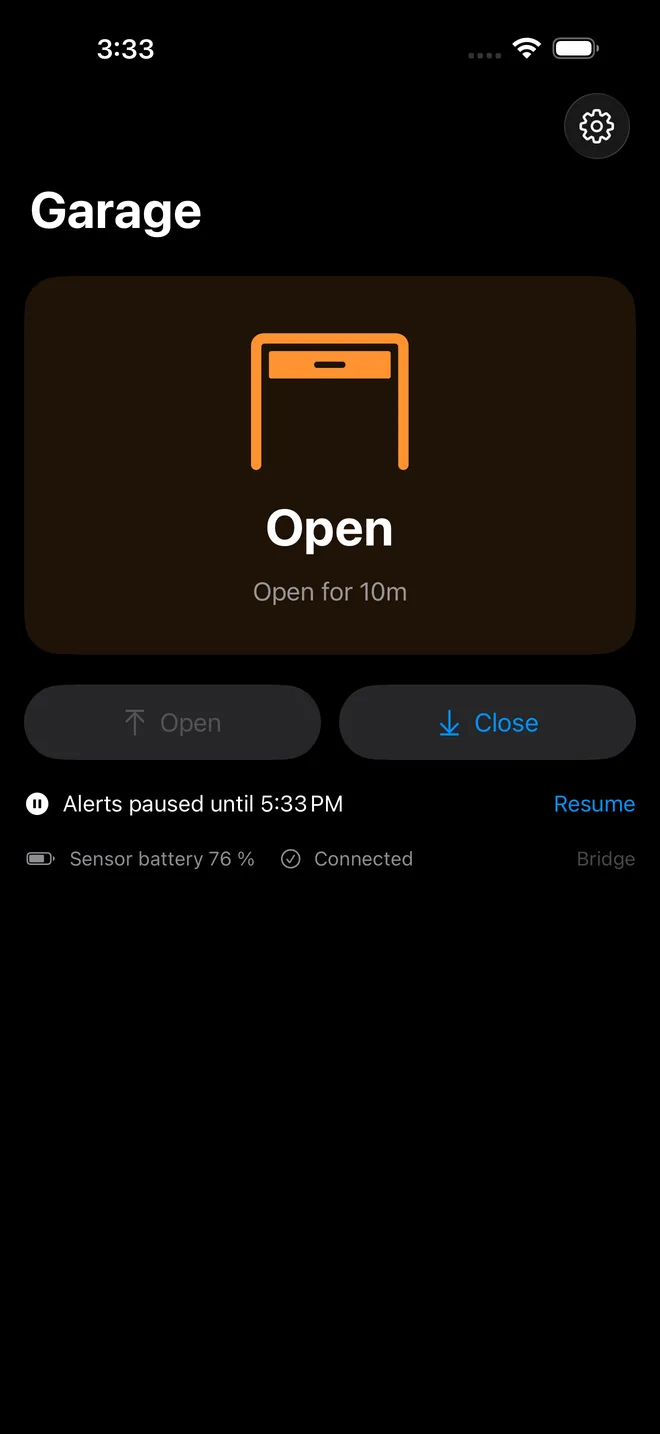
With a bridge, the bridge runs them, on your own hardware, and no outside service is involved. The app shows them whenever it is running or refreshing in the background. For a notification that reaches a phone that is asleep or away from home, point the bridge at ntfy, your own or ntfy.sh; it arrives through the ntfy app.
Straight to the console, nothing at home can run the rules once the app is closed, so an optional keyless service of ours runs them instead, and they arrive as ordinary iPhone notifications:
-
Turn on Cloud alerts in the app. It creates an anonymous install on
alerts.garageopener.appand hands you a private webhook address. No account, no email, no password. - Paste that address into two Alarm Manager rules on your console, one for the sensor opening and one for it closing. The app shows you the address and walks you through it.
- Your console posts an event when the door moves. The service starts a timer and pushes you a notification if a rule fires, in English or French, with buttons on it.
The service never holds a credential to your console, so it cannot open or close anything, and it never receives images or your Protect API key. It keeps the event type, the sensor id and the time, for seven days. Tapping Close now on a notification is carried out by the app itself, over your own connection. Exactly what is stored.
The app has the current, detailed version of this setup built into it, including the Alarm Manager screens. Follow it there rather than here if the two ever disagree.
Everyone at home, without handing out secrets
The usual way to give a partner access to something like this is to send them the password. Here you don't. From the Family screen you create a one-time invite, they scan the code or tap the link, type their name, and they're in. It takes about fifteen seconds and they never see your token.
- Invites are single use and expire after fifteen minutes.
- You see everyone who has joined, when they last used it, and you can rename or revoke any of them on the spot.
- The activity log records who opened the door by name, not by device.
- Revoking a phone takes effect immediately, which matters when one gets lost.
Invites, and the log by name, are what the bridge adds. Straight to the console, each person enters their own Protect API key instead.
What you actually get
- Everywhere you'd want it. iPhone, Apple Watch, widgets, Control Center, the Action Button, Siri and Shortcuts.
- A Live Activity while the door is open, with a Close button right on the Lock Screen.
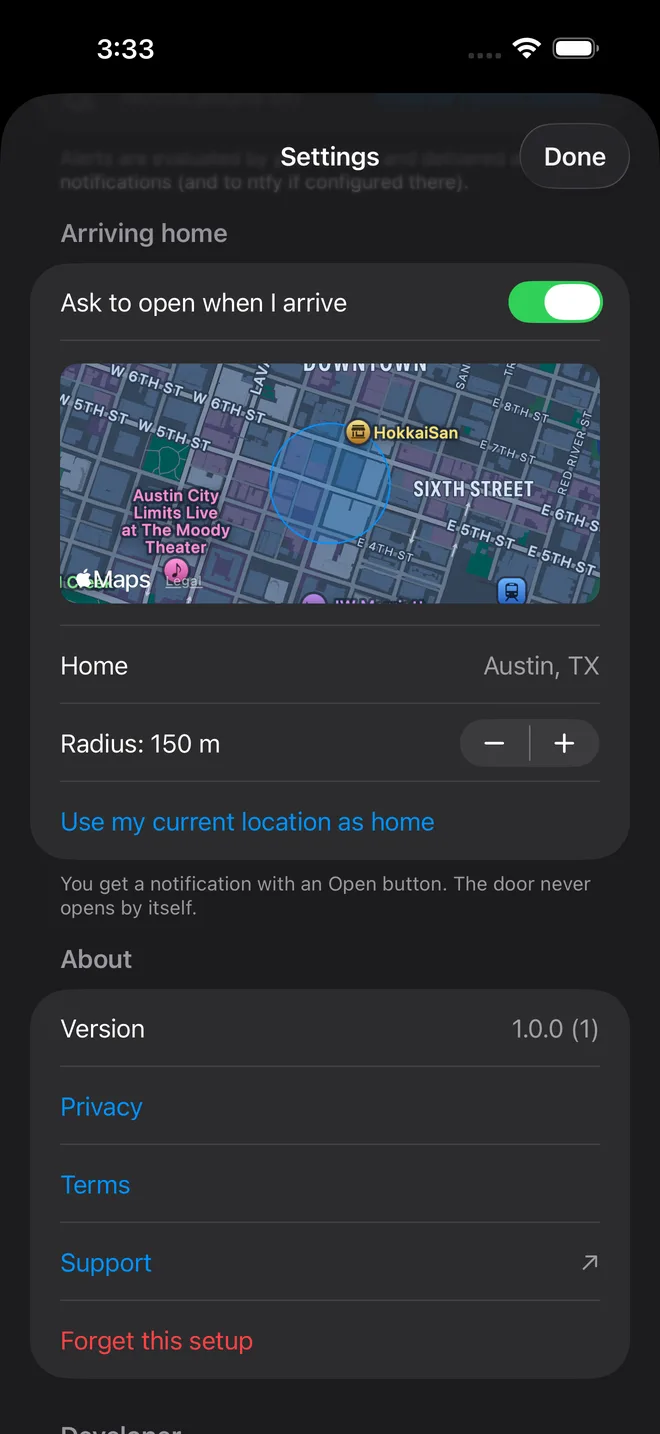
- Arriving home gets you a notification with an Open button. Nothing ever opens by itself.
- Stop part-way, and the next press goes the way you expect.
- Two garage doors from one phone. Each door needs its own relay output and its own sensor. Each person picks a default door, and the other one sits right below it.
- A camera picture on the door screen, to see that nothing is in the way and that it really closed. Snapshots, not live video. Through the bridge, your Protect key never reaches family phones.
- An activity log you can filter and export, when you run the bridge.
- English and French, throughout, including the notifications.
Try it before you wire anything
Demo mode runs the whole app against a simulated door, with travel time, a sensor and the alert rules. No console, no credentials, no hardware. It's the same mode App Review uses. Nothing you do in the demo counts towards the free opens.
What it costs
The app is free to download and includes 20 opens, enough to wire things up and see that it works with your door. After that, one purchase in the app, Garage Opener Unlimited (US$4.99, or the equivalent in your App Store), removes the limit for good. It is not a subscription, and Family Sharing covers your household.
Only opening counts. Close and Stop always work, because the app must never be the reason a garage is left open. If you bought the app before it became free, you are unlocked automatically. The bridge and the cloud-alerts service cost nothing.
What you need
| Part | Notes |
|---|---|
| A UniFi Protect console | Tested on Protect 7.2.x. A UDM, Cloud Key or Dream Machine, anything that runs Protect and offers an integration API key. |
| A relay with an output set to Pulse | Wired across your opener's push-button terminals, exactly like the wall button. |
| An all-in-one sensor, mounted as Garage | This is the part that makes it honest. It's what reports whether the door is really open. |
| For a second door | Its own relay output, on the same relay or another one, and its own sensor mounted as Garage. |
| An iPhone on a recent iOS | Apple Watch optional. |
Configuring the relay and sensor in Protect is covered in the guide. The relay is wired like a second wall button, and the FAQ answers the questions people actually hit, starting with why the relay seems to "toggle".
Last updated: